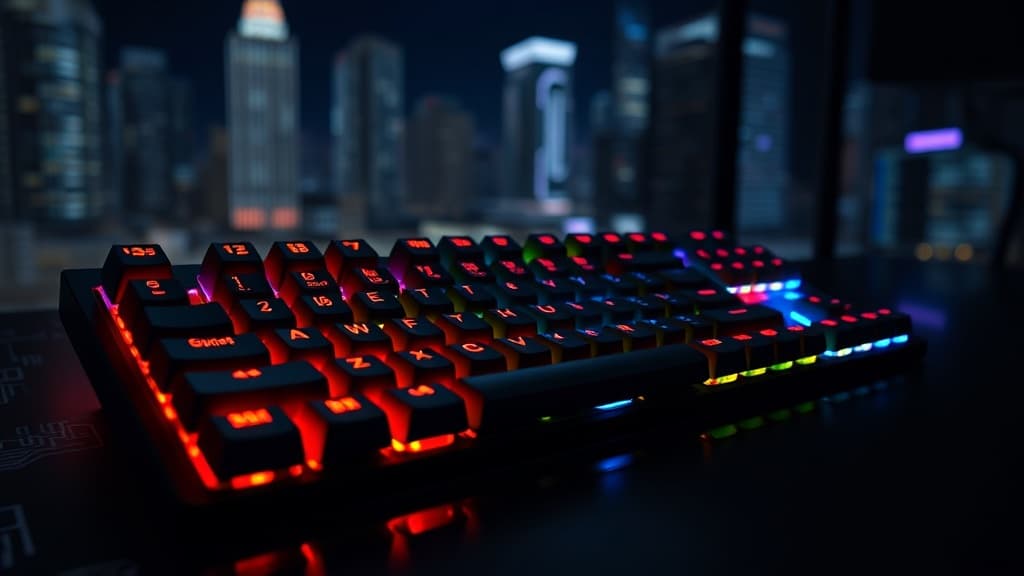
Mechanical Keyboard Buying Guide for Malaysian Gamers 2026
Last Updated: Invalid Date
Membrane keyboards are a war crime. If you've been gaming on the stock keyboard that came with your PC tower or that RM19 Shopee special, you owe it to your fingers to upgrade. Mechanical keyboards aren't just enthusiast flexing — they genuinely feel better, last longer, and can actually improve your performance depending on your playstyle.
But the market is overwhelming. Switches, layouts, hot-swap vs soldered, gasket mount vs tray mount, PBT vs ABS keycaps — bro, there's a whole rabbit hole. This guide cuts through the noise with honest picks at every price point for the Malaysian market.
Switch Types: The Most Important Decision
The switch is the single most important factor in how your keyboard feels. Everything else is secondary. Here's what you need to know:
Linear Switches (Smooth, No Bump)
Linear switches go straight down with zero tactile feedback. Fast, quiet-ish, consistent. The default choice for gaming — you want that smooth, fast actuation when you're spam-clicking or WASD strafing.
Top linear options:
- Cherry MX Red — The OG gaming linear. Light actuation (45g), smooth, reliable. Proven over years of tournament use.
- Gateron Yellow — Smoother than Cherry at a fraction of the price. Ridiculously good value.
- Akko CS Matcha Green — Malaysian/SEA-popular budget linear, surprisingly smooth out of the box.
Tactile Switches (Bump, No Click)
You feel a distinct bump when the key actuates, but no audible click. Great for typing and gaming hybrid use — you get feedback without pissing off everyone around you.
Top tactile options:
- Cherry MX Brown — The most popular switch globally. Mild bump, versatile. Some enthusiasts call it a "fake tactile" because the bump is subtle, but for most people it's perfect.
- Gateron Brown — Smoother Brown alternative, often included in budget boards.
- Holy Pandas / Boba U4 — High-end tactile switches for people who want a proper bump. Thocky, satisfying. Enthusiast tier.
Clicky Switches (Bump + Click Sound)
Maximum sensory feedback. You hear and feel every keypress. Gaming cafes hate you. Your family hates you. You love it.
Top clicky options:
- Cherry MX Blue — Classic clicky. Loud, tactile, iconic. NOT recommended for night sessions unless you're alone.
- Kailh Box White — Slightly crispier click than Blue, more consistent actuation.
Which Switch for What Playstyle?
| Playstyle | Recommended Switch | |---|---| | Competitive FPS (Valorant, CS2) | Linear (Red, Yellow) | | MOBA grinding (MLBB, HoK) | Linear or light tactile | | RPG / story games | Tactile or clicky | | Typing + gaming mix | Tactile Brown | | ASMR content creator | Clicky (record away from live) |
Layouts: What Size Do You Need?
Full-Size (100%)
All keys including numpad. If you use Excel or need numpad for shortcuts, this is yours. Takes up a lot of desk space.
TKL (Tenkeyless, 80%)
No numpad. The sweet spot for gaming — more mouse space on the right, still have arrow keys and F-row. Most popular among serious gamers.
75%
Slightly more compact than TKL — squeezes the function row and navigation keys tighter. Popular for clean desk setups. Small learning curve.
65%
No F-row, but keeps arrow keys. Very compact. Common in enthusiast builds. Takes getting used to for function key shortcuts in games.
60%
Absolute bare minimum. Arrow keys on a layer. Not recommended for most gamers unless you're deep in the hobby.
Verdict for most Malaysian gamers: TKL or 75% — you want the space savings without sacrificing functionality.
Budget Guide: Best Keyboards at Every Price Point
Entry Tier: Under RM150
This is where a lot of Malaysians start. Don't expect premium build quality, but you can absolutely get a functional, enjoyable mechanical keyboard.
Redmagic Gaming Keyboard (RM89–RM109 on Shopee)
Wired, TKL-ish layout, linear red switches, RGB lighting. No frills but it types mechanically and that's all you need. Good gateway drug into the hobby.
Fantech ATOM MK876 (RM79–RM99 on Shopee)
75% layout, hot-swap capable (YES at this price), Gateron switches. Absolute steal if you want to try different switches without committing.
AULA F75 (RM89–RM119 on Shopee)
75% layout, hot-swap, comes in multiple colourways. Decent stock stabilisers. Popular in Malaysian budget keyboard communities. Bang for ringgit tier.
Keychron K2 V2 (RM149–RM169 via Shopee MY, eGalaxy)
75% layout, hot-swap available, Gateron switches, macOS/Windows compatible. Build quality above most in this price range. If you're spending RM150 this is the move.
Pro tip: At this tier, hot-swap support is the key feature to look for. It lets you swap switches without soldering — meaning you can upgrade your experience later without buying a new board.
Mid Tier: RM150–RM500
This is where mechanical keyboards go from functional to genuinely great. Build quality jumps significantly, sound profile improves, and you start getting gasket mounts and better stabilisers.
Keychron Q2 Pro / Q3 Pro (RM299–RM389 via Switch MY, eGalaxy, Shopee)
The benchmark for this price range. All-aluminium construction, QMK/Via compatible (fully remappable), hot-swap, gasket mount for better feel and sound. Available in TKL (Q3) and 65% (Q2). These boards compete with keyboards twice the price.
Keychron has official distributors in Malaysia — you can find them on Switch MY and eGalaxy. Warranty is easier to claim than grey import units.
Ducky One 3 TKL (RM299–RM349 via Shopee grey import)
Ducky is the esports keyboard brand. Used by pros, beloved in the FGC community. PBT double-shot keycaps out of the box — those are premium and usually an aftermarket upgrade on competitors. Solid, reliable, excellent typing feel.
Royal Kludge RK100 / RK61 (RM119–RM169 on Shopee)
Wireless tri-mode (Bluetooth + 2.4GHz + USB) in this price range is rare. If you want wireless freedom for a cleaner desk, RK boards punch above their weight. Build quality is mid compared to Keychron but the wireless flexibility is real.
Nuphy Air75 V2 (RM299–RM349 on Shopee, official site)
Low-profile mechanical for people who prefer a thinner board. Wireless, hot-swap, solid build. Great if you travel with your keyboard or prefer a flatter typing angle without a wrist rest.
Enthusiast Tier: RM500–RM1000+
At this level you're buying into a completely different experience — custom sound profiles, premium gasket mounts, luxury keycap sets, and boards that are genuinely beautiful objects.
Keychron Q1 Max (RM499–RM549 via Switch MY, eGalaxy)
Full-aluminium 75% board, wireless, QMK, gasket mount, knob. The pinnacle of off-the-shelf keyboards. If you want one keyboard that does everything perfectly and don't want to go full custom, this is it.
Monsgeek M3 / Akko x Monsgeek (RM399–RM599 on Shopee)
The Monsgeek family delivers near-custom build quality at semi-custom prices. Excellent gasket mount, pre-lubed switches on higher-end versions, beautiful aluminium weight. Popular in the Malaysian enthusiast scene (check Mechanical Keyboard Malaysia FB group).
KBDfans Tofu 65 / Custom Builds (RM600–RM1000+)
Once you're here, you're building. KBDfans kits come unassembled (switches and keycaps sold separately) but the ceiling for sound and feel is way above any pre-built. Local group buys and pre-orders occasionally run through the Malaysian keyboard community — watch those for savings.
Keycaps: PBT vs ABS
The factory keycaps on budget boards are usually ABS — they get shiny with use, feel slippery, and look cheap over time.
PBT keycaps are the upgrade. Textured, more durable, better sound profile. Most boards from RM300+ come with PBT. If your budget board came with ABS, a replacement PBT set from Shopee runs RM40–RM80 and makes a huge difference.
Where to Buy in Malaysia
Online
- Switch MY (switchmy.com) — Best local retailer for enthusiast boards. Carries Keychron officially, ships fast.
- eGalaxy (Shopee/Lazada store) — Good selection, regular discounts.
- Shopee / Lazada — Grey imports and budget boards. Check seller ratings carefully, warranty is your problem.
- PC Image — Limited selection but physical stores nationwide. Good if you want to try before buying.
Physical Stores
- Low Yat Plaza, KL — Multiple computer stores carry gaming keyboards. Hands-on comparison is possible.
- SS15 Subang — Area has several hobby and computer shops
- PC Image branches — Reliable for mainstream brands (Razer, Corsair, Logitech)
Community
- Mechanical Keyboard Malaysia (Facebook Group) — Best place for local second-hand deals, group buys, switch recommendations, and honest advice from people who've owned 20+ keyboards. Join this.
- r/mechanicalkeyboards — Global community but tons of SEA members. Good for reviews and build logs.
First Keyboard Recommendation
Cut all the noise — here's what to buy depending on your situation:
Completely broke (RM80–RM100): Fantech ATOM MK876 — hot-swap, Gateron switches, 75% layout. Best entry.
Reasonable budget (RM150–RM170): Keychron K2 V2 — proven quality, good switches, hot-swap version available.
Mid budget (RM300): Keychron Q3 Pro TKL — gasket mount, all-aluminium, QMK, wireless. Hard to beat.
Enthusiast (RM500+): Keychron Q1 Max or start researching custom kits on KBDfans and Switch MY.
The Community Rabbit Hole
Fair warning: mechanical keyboards are a hobby, not just a purchase. Once you type on a properly built board with lubed switches, filmed stabilisers, and a nice keycap set, your current board becomes unacceptable. The Malaysian keyboard community is actually quite active — meetups, group buys, trading communities. Either that sounds fun to you (welcome, one of us) or it sounds exhausting (just buy the Q2 Pro and don't look back).
Either way, you're going to type better. And in gaming, better typing speed and consistency in chat, macro inputs, and ability checks adds up over thousands of hours of play.
Stop sleeping on your peripherals. The keyboard is the handshake between you and your PC — make it a good one.