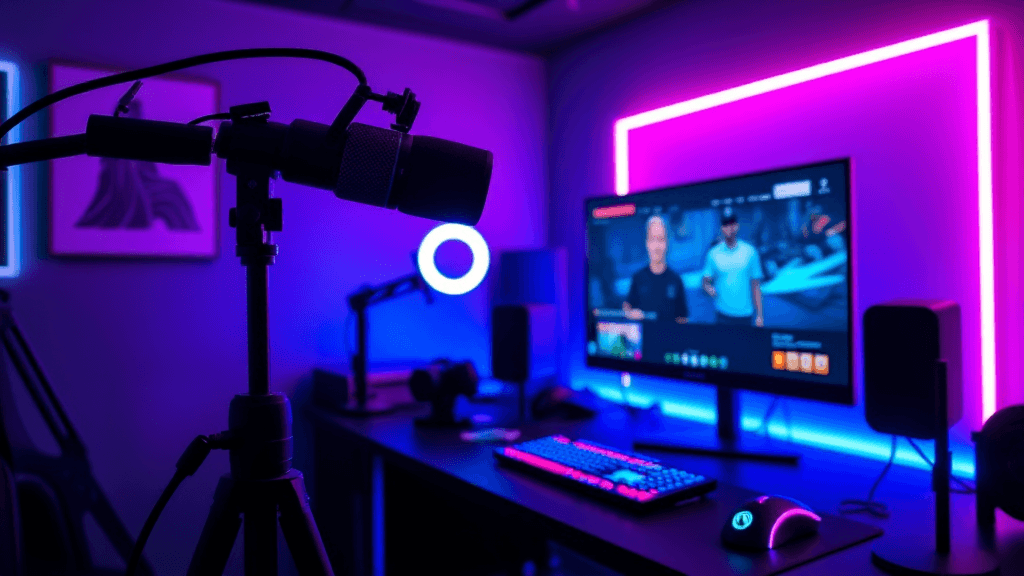
Best Streaming Setup for Beginner Malaysian Creators 2026
Last Updated: Invalid Date
Malaysia's creator economy is going off. TikTok Live is paying out, YouTube is rewarding gaming content, and Twitch is slowly picking up traction in the SEA scene. If you've been watching streamers thinking "I could do this" — you're probably right. The barrier to entry in 2026 is lower than ever.
But there's a difference between technically able to stream and actually looking and sounding good. Laggy audio, potato-quality video, and overexposed streams are why most beginners tap out before they find an audience.
This guide breaks down exactly what you need at three realistic Malaysian budget levels. No fluff, no recommending gear that's only available on Amazon US — everything here you can grab from Shopee, Lazada, Harvey Norman, or your nearest Switch store.
What You Actually Need (vs What You Think You Need)
Before spending a single ringgit, understand the priority order:
- Audio — Nothing kills a stream faster than bad mic. Viewers will forgive blurry video but not crackling, echoey audio.
- Lighting — Good lighting makes a RM200 webcam look like a RM1000 camera.
- Camera/Video — Your phone camera is honestly fine to start.
- Software — OBS is free. You don't need to pay for anything here.
- Capture card — Only needed if you're streaming console gameplay. Skip for PC or mobile.
- Green screen, overlays, alerts — Extras. Do these after you've built an audience.
Lock in that order. Most beginners blow their budget on a fancy camera when their mic sounds like they're in a drain.
The RM500 Beginner Setup
This is "I want to try streaming without committing big money" territory. Good enough to go live and not embarrass yourself.
Microphone: FIFINE K669B USB Mic — RM89
Available on Shopee. Plug-and-play USB condenser mic that punches way above its price. Cardioid pickup pattern cuts out background noise reasonably well. Not audiophile quality but your viewers won't complain. The stand is functional but grab a cheap desk arm (RM30–50 on Shopee) to position it properly.
Skip: Generic gaming headset mics. They sound hollow and cheap. The FIFINE will always outperform.
Camera: Your Phone (Free)
DaVinci, NDI, or DroidCam lets you use your Android or iPhone as a webcam over Wi-Fi or USB. A decent phone camera in 2026 — even a Redmi Note 13 — shoots better video than most budget webcams under RM300. Mount it on a RM25 phone tripod from Shopee.
Lighting: Ring Light 10" — RM45–80
Shopee and Lazada are flooded with these. A basic 10-inch ring light with adjustable colour temperature transforms your stream. Position it facing you, slightly above eye level. Day/night difference versus streaming in ambient room lighting.
Software: OBS Studio (Free)
OBS Studio is what every serious streamer uses, full stop. It's free, powerful, and runs on any PC. For TikTok Live, pair it with TikTok Live Studio which is also free. For YouTube Live, OBS connects directly.
Total RM500 Setup
| Item | Price | |------|-------| | FIFINE K669B Mic | RM89 | | Phone tripod/mount | RM25 | | 10" Ring Light | RM65 | | Desk mic arm | RM40 | | OBS Studio | Free | | Total | ~RM219 |
You've got RM280 left in budget. Bank it for upgrades or put it toward internet (more on that below).
The RM1500 Serious Setup
You've streamed a few times, you're feeling it, and you want to look like you mean business. This is where most part-time Malaysian creators should be operating.
Microphone: Blue Snowball iCE USB Mic — RM199
Available at Switch and major Shopee sellers. Significant step up from the FIFINE in clarity and warmth. The Blue Snowball iCE is a cardioid condenser that picks up your voice cleanly and handles Malaysian room acoustics well — even without acoustic treatment. Pair it with a decent pop filter (RM15 on Shopee).
Or: If you want to go pro on mic only, the Razer Seiren V3 Mini (RM249) looks great on camera and has a built-in limiter that saves you from clipping during hype moments.
Camera: Logitech C920 HD Pro Webcam — RM399
The most reliable webcam on the planet. 1080p at 30fps, autofocus that actually works, solid low-light performance. Available at Harvey Norman, PC Image, and Shopee. At RM399 it's pricier than alternatives but the image quality is consistent and the drivers never give problems.
Alternative: Logitech C505e (RM299) if budget is tighter — 720p but solid value.
Lighting: Elgato Key Light Mini — RM399
This is where you actually spend for the RM1500 tier. The Elgato Key Light Mini is a panel light you control from your phone (app integration). Even, soft, professional-looking illumination. No harsh shadows. Works great on camera. Available at Switch and Switch online.
Budget alternative: Two RM80 softbox kits from Shopee (RM160 total) can approximate this result — less convenient but effective.
Internet: The Most Overlooked Part
Here's where Malaysian streamers get punished. You need upload speed, not just download. Check your Unifi/Maxis plan:
- YouTube 1080p live: minimum 6 Mbps upload
- TikTok Live 1080p: 3–5 Mbps upload stable
- Twitch 1080p60: 6–8 Mbps upload
Most Unifi plans give you 30–100 Mbps download but only 10–30 Mbps upload. That's usually fine. The killer is ping stability — if your connection spikes, your stream freezes. Use a wired LAN connection, not Wi-Fi. A RM15 Cat6 cable from Shopee from your router to your PC makes a massive difference.
Software: OBS + Scene Switcher + Streamlabs Alerts
Still using free OBS, but at this level you should be:
- Setting up multiple scenes (gaming view, facecam view, BRB screen)
- Adding Streamlabs for alerts (follower/subscriber notifications)
- Using Canva (free tier) for overlay graphics
RM1500 Setup Total
| Item | Price | |------|-------| | Blue Snowball iCE | RM199 | | Logitech C920 | RM399 | | Elgato Key Light Mini | RM399 | | Pop filter + mic arm | RM55 | | LAN cable + accessories | RM30 | | Software | Free | | Total | ~RM1,082 |
You're coming in under budget, which gives you room to grab overlays from a local graphic designer or spend on a better desk/cable management.
The RM3000 Full Setup
This is "I'm going full-time creator or my stream needs to compete with established channels" tier. Everything here is professional-grade, available in Malaysia, and built for longevity.
Microphone: Shure MV7+ USB/XLR Mic — RM699
The Shure MV7+ is the streamer's mic of choice for people who want to never think about audio again. Rich, broadcast-quality sound. USB and XLR outputs (future-proof for when you want an audio interface). Built-in headphone monitoring. Dark finish looks killer on camera.
Available at Switch, Lazada premium sellers, and selected Harvey Norman stores.
Camera: Sony ZV-E10 II Mirrorless + Kit Lens — RM2,299
Going full mirrorless is how you get that shallow depth-of-field "blurred background, sharp face" look that separates high-production streams from bedroom setups. The Sony ZV-E10 II is Sony's vlogging/creator-focused camera with clean HDMI out — which means you connect it straight to a capture card and use it as a webcam.
Wait — does this need a capture card? Yes, you'll need:
- Elgato Cam Link 4K — RM499 (available at Switch)
This converts the HDMI from your camera into a USB webcam signal your PC reads. Plug-and-play with OBS.
Lighting: 2x Elgato Key Light — RM798 (RM399 x2)
Two-light setup for proper fill and key lighting eliminates shadows and gives your stream a professional broadcast look. Control both from the Elgato 4K Capture Utility app.
Audio Interface (Optional Upgrade): Focusrite Scarlett Solo 4th Gen — RM479
If you want to move from USB mic to XLR for even better audio quality, the Focusrite Scarlett Solo is the gateway drug. You'd pair this with the XLR output of the Shure MV7+. The difference in audio warmth and clarity is noticeable. Available on Lazada and Shopee.
RM3000 Setup Total
| Item | Price | |------|-------| | Shure MV7+ | RM699 | | Sony ZV-E10 II + kit | RM2,299 | | Elgato Cam Link 4K | RM499 | | 2x Elgato Key Light | RM798 | | Focusrite Scarlett Solo | RM479 | | Pop filter, arm, accessories | RM80 | | Total | ~RM4,854 |
Yeah, this blows past RM3000. The honest truth: if you want full mirrorless quality, budget RM4,500–5,000. The camera alone is the cost driver. To stay within RM3,000, swap the Sony ZV-E10 II for the Logitech C920 (RM399) and you're back within budget — you lose the shallow DoF but everything else stays pro.
Platform Tips: TikTok Live vs YouTube vs Twitch in Malaysia
TikTok Live
- Fastest way to build an audience from zero in Malaysia right now
- Download TikTok Live Studio (official, free)
- You need 1,000 followers to go live (verifiable account)
- Malaysian creators who stream consistently (5+ hours/week) report faster follower growth than YouTube
- TikTok gifts monetise live streams — top Malaysian gaming streamers pull RM500–3000/month in gifts with 10k–50k followers
YouTube Live
- Better for VOD strategy (streams become watchable videos)
- Gaming content monetises well if you hit 1,000 subs + 4,000 watch hours
- Lower immediate growth ceiling vs TikTok but more sustainable long-term
Twitch
- Small but dedicated Malaysian Twitch community
- Harder to break through cold — algorithm doesn't surface new streamers easily
- If you have a niche (specific game, unique content format), Twitch audiences are more loyal
Our recommendation for beginners: Start TikTok Live. Learn your craft, build an audience. Then crosspost clips to YouTube Shorts → grow YouTube. Once you're pulling consistent viewership, diversify to Twitch. Don't try all three at once.
Common Beginner Mistakes (Don't Do These)
1. Streaming without headphones — You'll get audio feedback loop. Always monitor your audio through headphones while live.
2. Skipping acoustic treatment — If your room echoes, hang some bedsheets or thick curtains behind you. Literally. Foam panels help but bedsheets are free.
3. Streaming on Wi-Fi — Plug in a LAN cable. Non-negotiable.
4. Not having a BRB screen — When you need to walk away for 2 minutes, have a "Be Right Back" scene in OBS. Going blank or showing your empty chair looks unprofessional.
5. Buying a green screen before you have an audience — Lighting a green screen correctly is harder than it looks. Skip it until you're established. A clean real-life background works better than a poorly-lit keyed background.
6. Ignoring stream labels — Add game title, your social handles, and a "!discord" command to your chat. New viewers want to know how to follow you on other platforms.
Where to Buy in Malaysia
| Platform | Best For | |----------|----------| | Switch (Lazada/physical) | Elgato products, Logitech, official warranty | | Harvey Norman | Sony cameras, Shure mics, Apple accessories | | Shopee | FIFINE, ring lights, accessories, cheap alternatives | | Lazada | Mid-range gear, Blue mics, Focusrite | | PC Image / IT Zone | Capture cards, PC peripherals, Logitech |
Always check warranty before buying. Grey-market cameras on Shopee may be cheaper but you lose local warranty support. For mics and lights, grey-market is usually fine. For cameras, buy from authorised dealers.
TL;DR: Which Setup Should You Start With?
- Casually trying streaming: RM200–250 (FIFINE mic + ring light + your phone). Start here.
- Part-time creator serious about growing: RM1,000–1,200 (Snowball mic + Logitech C920 + Elgato Key Light). This is the sweet spot.
- Going full-time or production quality: RM3,000–5,000 (Shure mic + Sony mirrorless + full light rig). Only when you're making money from streaming.
The Malaysian creator scene in 2026 is real and it's growing. The gear is accessible, the platforms are paying, and the audience is hungry for local content. Get your setup, go live, and learn on stream. Nobody starts perfect — they just start.