Intel Arc Driver 101.8737 Beta Tambah Sokongan Game Baharu, Fix Pragmata DX12
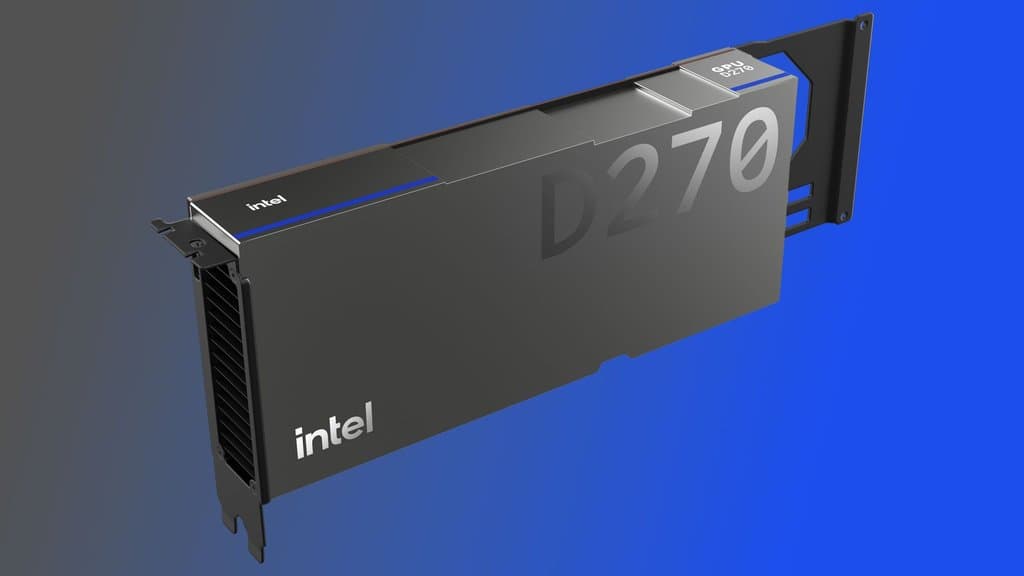
Intel baru sahaja keluarkan Arc GPU Graphics Driver 101.8737 Beta, dan kalau kau guna setup Intel Arc di Malaysia — terutama gaming laptop, mini PC, atau budget desktop build — driver ni memang worth check sebelum game night seterusnya.
Update utama kali ni ialah sokongan game-ready baharu untuk dua release akan datang: Heroes of Might & Magic: Olden Era dan Neverness to Everness. Untuk player yang suka masuk game baharu day one, ini jenis housekeeping driver biasa yang boleh jadi beza antara “jalan smooth” dengan “kenapa game aku stuttering bro?”
Tapi bahagian yang lebih menarik ialah apa yang Intel dah address untuk Pragmata yang berjalan atas DirectX 12. Menurut nota driver, game tu sebelum ni mengalami application crash semasa loading masuk ke in-game menu merentas pelbagai hardware grafik Intel. Ini termasuk integrated Arc graphics baharu dalam cip Intel Core Ultra, serta kad discrete Arc daripada keluarga A-Series dan B-Series.
Ini penting sebab Intel Arc sekarang bukan lagi sekadar benda “GPU enthusiast pelik”. Di Malaysia dan SEA, makin banyak laptop mampu milik dan compact PC datang dengan integrated Intel Arc graphics, sementara kad Arc A-Series dan B-Series menarik minat builder yang nak gaming 1080p decent tanpa bayar NVIDIA tax. Jadi bila title DX12 rosak merentas beberapa generasi Intel, ia memang affect player sebenar — bukan sekadar kaki benchmark.
That said, ini masih beta driver, jadi jangan expect semuanya perfect. Senarai known issues Intel masih ada beberapa benda yang gamer patut ingat.
Untuk sistem yang guna Intel Core Series 3 dengan built-in Intel GPUs, Fortnite atas DX12 masih boleh menyebabkan system crash semasa launch. Ini agak besar untuk local market, sebab Fortnite masih pilihan biasa untuk casual squads, player muda, dan streamer. Kalau mesin kau terkesan, mungkin lebih baik tunggu driver baharu atau elak tukar setup betul-betul sebelum session.
Pada Intel Core Ultra Series 3 dengan built-in Intel Arc GPUs, The Finals mungkin mengalami crash secara intermittent, manakala Mafia: The Old Country boleh crash semasa gameplay. Untuk Arc B-Series discrete GPUs, Intel menyenaraikan visual corruption dalam Call of Duty: Black Ops 6, khususnya pada sesetengah permukaan air, serta flickering corruption dalam Dune: Awakening.
Pengguna Arc A-Series pun belum betul-betul selamat. Crimson Desert mungkin menunjukkan corruption bila upscaling diaktifkan, yang memang annoying sebab upscaling itulah yang ramai player budget dan mid-range rely on untuk kekalkan frame rate playable. Sementara itu, nota untuk Arc A-Series dan B-Series turut menyebut kemungkinan intermittent crash dalam PugetBench for DaVinci Resolve Studio. Workaround yang Intel cadangkan ialah naikkan PugetBench timeout slider kepada 1500 saat atau lebih supaya test ada lebih masa untuk complete.
Ada juga warning berkaitan Battlefield. Battlefield 6 mungkin menunjukkan intermittent corruption pada map tertentu dengan built-in Arc graphics Intel Core Ultra Series 1, sementara sesetengah notebook Intel Core Ultra Series 2 mungkin nampak map corruption yang sama. Pengguna Core Ultra Series 2 juga mungkin terkena isu Call of Duty: Black Ops 6 water-surface corruption yang disebut di tempat lain.
Jadi, patut tak gamer Malaysia install Intel Arc 101.8737 Beta sekarang juga? Kalau kau memang plan nak main Heroes of Might & Magic: Olden Era, Neverness to Everness, atau kau memang blocked oleh crash Pragmata DX12, then yes, driver ni probably worth try. Tapi kalau setup kau sekarang stabil dan kau mostly main Fortnite, COD, Battlefield, atau Dune, mungkin chill dulu dan baca known issues betul-betul sebelum update.
Beta driver memang berguna, tapi dia bukan magic. Backup installer driver semasa kau, update hanya bila kau perlukan fix tu, dan jangan test software GPU baharu lima minit sebelum malam ranked. Yang tu memang cari sakit.
Sumber: TechPowerUp